The Panda Coloring Page: A Simple Project with Common Pitfalls
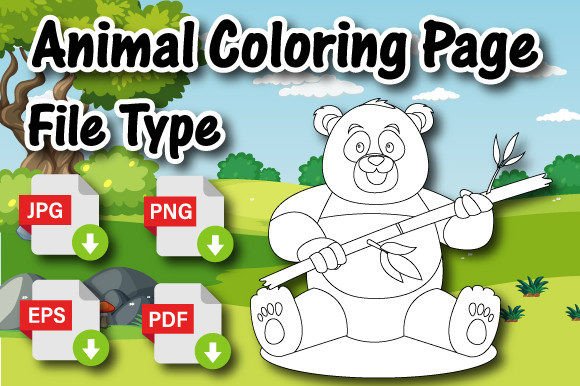
That adorable Animal Coloring Page Panda you’re looking at isn't just a cute picture for kids. For many adults, it represents a tangible piece of a creative or entrepreneurial project. Whether you're a parent seeking quality activities, an educator designing classroom materials, or an entrepreneur building a digital printable business for platforms like Amazon KDP, this single page is a starting point. Its simplicity, however, can lead to a few overlooked decisions that impact the final result more than you might expect.
File Quality: The Foundation Everything Else Builds Upon
When you see a listing that includes "1 High-Quality PNG File Ready to Upload with 300 DPI," it's easy to assume everything is ready. A common mistake is treating this claim as a given and not verifying it yourself. DPI (dots per inch) is crucial for print clarity, but a file saved at 300 DPI from a low-resolution original image is still a low-quality file. The "high-quality" promise depends entirely on the source artwork.
Before using or purchasing any digital printable, especially one intended for a coloring book for kids, open the provided PNG or JPG in an image viewer and check its actual dimensions. A file at 300 DPI for an 8.5" x 11" page must be 2550 pixels wide by 3300 pixels tall. If the dimensions are smaller, the DPI specification is misleading, and the printed page will appear blurry or pixelated. This directly affects customer satisfaction if you're selling and diminishes the experience if you're using it personally.
Understanding the EPS File: Your Key to Adaptation
The inclusion of an EPS file is a significant value-add, often glossed over by beginners. EPS (Editable) files are vector-based, meaning they can be resized infinitely without loss of quality and edited in programs like Adobe Illustrator. A misunderstanding here is assuming you need professional software to benefit from it. While Illustrator is ideal, free or lower-cost vector editors exist.
The practical mistake is ignoring the EPS file entirely and working only with the PNG or JPG. This limits you. If you want to change the panda's expression, add a background element like a bamboo forest, or adjust line thickness for younger children, you need the editable vector file. Not leveraging it means you're stuck with a static image, unable to customize the Animal Coloring Page Panda to better fit your specific audience or product line.
The "Ready to Upload" Assumption and Preparation
The phrase "ready for you to add your own cover and upload" is encouraging but can be misleading if taken literally for Amazon KDP. A crucial overlooked detail is KDP's strict formatting requirements for interior files. The provided PDF might be perfectly sized at 8.5 x 11 inches, but you must ensure it meets KDP's latest specifications for margins, bleed (if intended), and content placement. Uploading a PDF without checking these can lead to rejection or a published book with content cut off by trimming.
A better approach is to use the high-quality PDF as a reliable base, but always review it in KDP's online previewer or a PDF checker before final upload. Furthermore, consider the page count. One single panda coloring page is an "interior," but a viable KDP book requires many pages. This product is a component, not a complete book. Thinking it's a full book ready to go is a fundamental error. You'll need to combine it with other pages, create a table of contents if necessary, and design a cover that matches its style.
Niche Popularity Doesn't Guarantee Success
It's true that an animal coloring book or animal activity book is a very popular niche in KDP. This popularity, however, leads to a saturated market. Choosing a generic panda page without a unique angle is a common strategic mistake. Your page exists alongside thousands of others.
To avoid this, use the editable EPS file to differentiate your offering. Could you create a series? Perhaps a "Panda Family" set or "Pandas Around the World" with different habitats? The asset provides the raw material; your creativity provides the market edge. Also, research beyond the keyword. Look at successful animal coloring books on Amazon. Notice their themes, illustration styles, and supplemental content (like facts about the animal). Your single Animal Coloring Page Panda can be the start of a more compelling book if you build around it intelligently.
Practical Checks Before You Commit
Before finalizing your use of this or any similar digital printable, perform a few constructive checks.
- Verify File Utility: Open every file in the package. Confirm the PNG/JPG dimensions and clarity. Try opening the EPS in a free viewer to confirm it's truly editable and not just a converted raster image.
- Assess Scalability: Think about your end goal. If selling, does this one page fit seamlessly with other pages you have or plan to create? Is the art style consistent? For personal use, is the complexity of the line art appropriate for the child's age?
- Check Compatibility: Ensure the file formats work with your software. An EPS file from an advanced Illustrator version might cause issues in older software.
- Plan for Completion: Remember, this is an interior page. For a KDP project, you need a cover, a formatted manuscript combining multiple interiors, and a marketing plan. This page is a quality piece, but it's one piece of a larger puzzle.
Approaching your Animal Coloring Page Panda with this level of attention transforms it from a simple download into a robust project component. You avoid the pitfalls of poor print quality, limited flexibility, and market invisibility. Instead, you leverage high-quality, editable assets to create something distinct and satisfying, whether for a child's joyful afternoon or for building your own high-content book business.