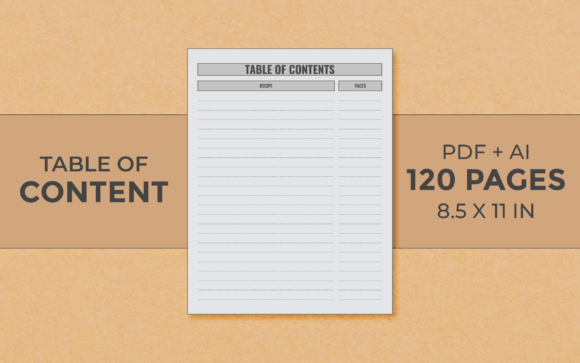
The Essential Anatomy of a KDP Table of Content Logbook Interior
When navigating the vast ecosystem of Kindle Direct Publishing, creators often discover that the interior design of a physical book is as critical as its cover. Among the many specialized interiors available, one format serves a uniquely practical purpose: the Table of Content Logbook. This isn't a traditional narrative book interior; it's a structured, functional template designed for recording, organizing, and tracking information. Understanding its specifications, applications, and optimal use is key for anyone looking to publish a useful tool rather than a story.
Decoding the Specifications: What Makes This Interior
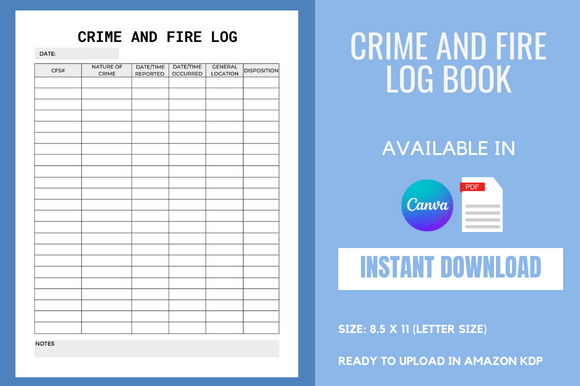
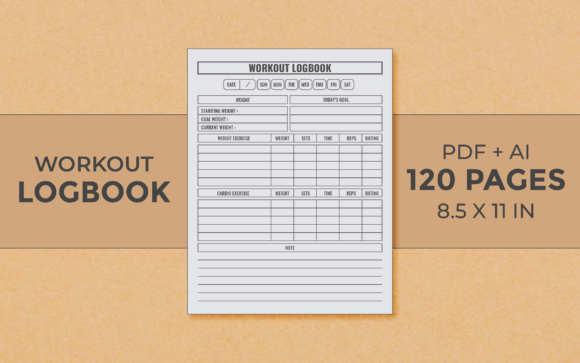
The provided features outline a precise blueprint. A 120-page count offers substantial space for data without being overwhelming, striking a balance between depth and usability. The 8.5×11-inch trim size, often referred to as US Letter, is a standard and popular dimension. It provides ample room per page for clear tables and entries, making it comfortable for handwritten use and ensuring the final printed product feels familiar and substantial. The mention of 300 DPI quality is a technical cornerstone. DPI, or dots per inch, refers to the resolution of the image files used. For print, 300 DPI is the industry standard for crisp, sharp text and lines, guaranteeing that the final printed logbook looks professional and clean, with no blurred or pixelated elements.
The Core File Ecosystem: PDF, AI, and PNG
Each file format serves a distinct role in the publishing workflow. The Print PDF file for instant download is the final, ready-to-upload product. This PDF is formatted exactly for KDP's requirements, with proper margins, bleed settings (if needed), and embedded fonts. It's the file you directly submit to the platform. The inclusion of Editable Original Files AI (likely Adobe Illustrator files) is a significant advantage. This provides complete creative control. Users can modify layouts, change color schemes, adjust table structures, or add branding elements before generating their final PDF. Finally, the PNG file with transparent background often contains individual design elements, like the cover table graphic or decorative icons, useful for marketing materials or website displays.
Primary Use Cases and Practical Applications
Who uses a Table of Content Logbook interior, and why? Its applications are diverse, crossing professional and personal domains.
For Project Managers and Team Leads
In business environments, this interior can be transformed into a physical project tracking log. Teams can use it to document meeting agendas, decision logs, action item statuses, and resource allocations across a project's lifecycle. The structured tables provide a consistent format for weekly updates, making progress review meetings more efficient. Having a bound, physical logbook can also serve as an official project record, often preferred for audits or compliance documentation over scattered digital notes.
For Educators and Academic Researchers
Educators might utilize this template to create a curriculum development logbook, tracking lesson plans, resource inventories, and student assessment benchmarks across a semester. Researchers, particularly in field studies, could adapt it as a data collection logbook, recording observations, experimental parameters, and sample details in a standardized, chronological format that is easy to reference later during analysis.
For Hobbyists and Personal Organization
The audience extends beyond professional settings. A hobbyist, such as a gardener, could publish a custom garden planning logbook using this interior to track planting dates, harvest yields, weather effects, and soil treatments. A traveler might create a trip journal logbook with tables for itinerary planning, budget tracking, and contact lists. The key is the template's adaptability; the "table of content" structure provides a framework that users can fill with their own specific categories and data points.
Strategic Considerations for KDP Publishing
Using this specific interior for a KDP publication involves more than just uploading a file. Several practical considerations impact the final product's success.
First, content population is crucial. While the AI files allow for editing the layout, the publisher must decide whether to leave the tables blank for the end-user to fill or to pre-populate them with example data or instructional text. A blank logbook offers maximum flexibility for the buyer, while a partially guided one can be easier to use and may appeal to beginners. This decision should align with the book's description and target audience.
Second, compatibility with KDP's print engine must be verified. The 8.5×11 trim size is straightforward, but the publisher must ensure the PDF uses KDP's recommended margin settings for this size. The 300 DPI specification ensures quality, but the PDF's color mode (usually CMYK for color covers, black and white for interiors) also needs to be correct to avoid printing cost surprises or color discrepancies.
Finally, market positioning requires clear communication. When listing such a book on Amazon, the title and description must clearly indicate it is a logbook or workbook with a table of content structure, not a reading book. Keywords should include "printable logbook," "planner interior," "fillable workbook," and "KDP template" to reach the correct audience searching for functional tools.
Adapting the Template: The Power of Editable Files
The provision of editable AI files unlocks the true potential of this Table of Content Logbook Kdp Interior. This allows creators to move beyond a generic product and build a specialized tool tailored to a niche market.
- Niche Customization: A creator focusing on the small business market could modify the table headers to reflect terms like "Client Contact Log," "Invoice Tracking," or "Quarterly Goal Matrix." The structure remains, but the context becomes highly specific.
- Branding Integration: Using the AI files, one can incorporate a company logo, a specific color palette matching other products, or unique typography to create a cohesive brand line of logbooks.
- Functional Expansion: The base 120-page template can be augmented. Sections could be added: for example, inserting a few pages with graph grids at the back for a data visualization logbook, or adding calendar overview pages at the front for a hybrid planner-logbook.
This adaptability means that the same core Table of Content Logbook Kdp Interior can be the foundation for a hundred different published products, each serving a unique audience with a tailored tool.
Observations on Print Quality and User Experience
The emphasis on 300 DPI and a print-ready PDF directly translates to the end-user's physical experience. A low-resolution interior would result in faint, jagged lines and unclear text, making handwritten entries difficult and the overall product feel unprofessional. The high DPI ensures that the guiding tables and text on the page are sharp, providing a clean canvas for the user. The 8.5×11 size contributes to this experience; it's large enough to prevent cramped writing, especially if the logbook is used for extensive notes alongside the tables. The choice of 120 pages is also a considered one. It suggests a logbook for a substantial but not indefinite project—perhaps a one-year project, a complete research cycle, or an annual planning guide—giving the user a sense of a complete, bounded volume.
In practice, a well-produced logbook using this interior becomes a tactile, authoritative reference tool. Users often report that physically writing in a structured logbook aids memory and commitment compared to digital entry. The permanence of the bound pages creates a linear, unalterable record that can be valuable for accountability and retrospective analysis.
Integration with Digital Workflows
While the output is a physical book, its creation and use often intersect with digital tools. The publisher uses digital AI files to design it. The end-user might digitally download the PDF for local printing before purchasing the physical copy, or they might cross-reference entries in the physical logbook with data stored in apps or spreadsheets. This hybrid utility—a digital-native design resulting in a analog tool—is a hallmark of many successful modern KDP functional interiors.
The Final Output: From Template to Published Tool
The journey from downloading this Table of Content Logbook Kdp Interior package to having a live saleable product on Amazon involves a clear sequence. It begins with customization in Adobe Illustrator (or similar software), where the template is adapted to its specific use case. Next, a proof copy should be ordered from KDP to physically check print quality, binding, and layout. Once approved, the final PDF is uploaded, and the product listing is crafted with precise, benefit-driven language explaining how the logbook's structure solves a particular problem. The PNG files with transparent backgrounds can then be used in marketing graphics to showcase the clean interior layout on websites or social media.
Ultimately, this interior is more than just a set of pages; it's a framework for organizing information. Its value lies in its clarity, its print-ready precision, and its flexibility. For KDP publishers aiming to serve professionals, hobbyists, educators, and planners, understanding and utilizing such a specialized interior is a step towards creating not just a book, but a practical instrument that finds a permanent place on someone's desk or shelf.