Digital Notebook Paper Pages: Your Foundation for Organized Creativity
In a world saturated with apps and screens, the timeless act of writing on paper holds a unique power. It fosters focus, encourages deeper thought, and provides a tactile canvas for ideas. Yet, the traditional notebook can be limiting—you're bound to its pre-set layout. Digital Notebook Paper Pages bridge this gap beautifully, offering the familiar comfort of paper through a modern, flexible digital format. They are downloadable template collections designed for printing, giving you the structure of organized pages without the permanence of a bound book. This approach caters directly to evolving habits, where the need for customization and efficiency in both professional and personal workflows is paramount.
The Evolution of Note-Taking: From Fixed Pages to Flexible Templates
Note-taking has shifted from a passive recording activity to an active component of productivity and creativity. Professionals use systems like the bullet journal method to manage tasks, projects, and goals. Educators and students rely on specialized formats like Cornell notes for effective learning. Creatives need spaces for sketches, mind maps, and unstructured doodling. A single physical notebook often cannot accommodate this diverse range of needs without becoming cluttered or inefficient.
Digital Notebook Paper Pages represent a logical evolution. Instead of committing to one layout, you can select—and print—only the template that suits your immediate purpose. This "mix and match" philosophy aligns perfectly with modern, dynamic workflows. Whether you're an entrepreneur planning a quarterly strategy on a column template, a blogger drafting post outlines on a lecture-style page, or a hobbyist using a dot grid for a precise drawing, the power lies in your ability to curate your own notebook experience, page by page.
Why the Design Matters: White Backgrounds and Soft Lines
The core design principle behind these templates is intentional simplicity. All templates are created with a clean white background and soft, subtle lines. This design choice serves two crucial functions. First, it helps maximize your writing experience by minimizing visual noise. Your thoughts and notes become the focal point, undistracted by heavy borders or dark grids. Second, it actively makes your colors pop. Whether you're using vibrant highlighters, colored pens for categorization, or even adding digital color after printing, the neutral background ensures your annotations and creations stand out with clarity and impact.
This is particularly relevant for visual thinkers and those who use color-coding as a organizational system. A soft grey grid or dotted pattern provides guidance for alignment and spacing without competing with the content you add, making these templates a versatile foundation for both meticulous planning and free-form expression.
Practical Implications for Users and Professionals
The practical value of a collection of 20 different templates is immense. It transforms a simple printout into a tailored tool. Consider a project manager: they might use a boxes template to break down phases, a diagram template to map stakeholder relationships, and a line template for meeting minutes—all within the same project folder. A student could employ Cornell templates for lecture review, grid templates for graphing practice, and the included coloring pages for stress-relieving breaks during study sessions.
The bundle's inclusion of three standard sizes—A4, A5, and US Letter—addresses practical global and personal preferences. A5 is portable for on-the-go professionals, US Letter fits standard North American binders, and A4 offers ample space for expansive diagrams or collective brainstorming. The ability to print as many copies as you wish from the non-editable PDF file means you never run out of your preferred page. It's a sustainable, cost-effective system: print a batch for a specific project or a single page for a daily task list.
Integrating Digital Pages into Modern Routines
These digital pages do not reject technology; they complement it. Many users operate in a hybrid analog-digital workflow. A printed diagram template can be sketched on during a brainstorming session, then scanned or photographed to be shared digitally with a team. A completed to-do list on a column template can be a visual, tangible record of daily achievements that sits beside your computer. For bloggers and content creators, the lecture templates can serve as excellent script or outline drafts, providing a focused writing space away from the distractions of a word processor.
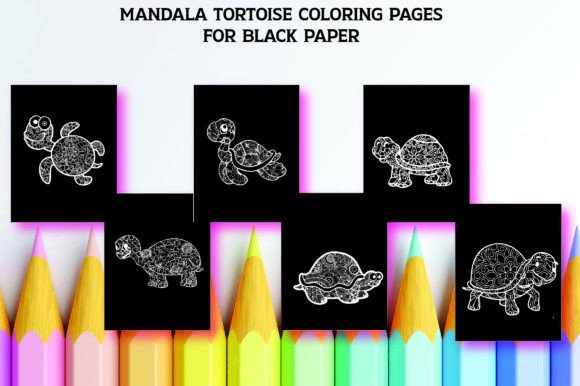
The five included coloring pages also highlight the understanding that productivity isn't just about output. Mindfulness, creative play, and mental reset are essential for sustained performance. These pages offer a legitimate, structured invitation to pause and engage in a different kind of creative activity, which can enhance overall focus when returning to work-related tasks.
The Template Library: A Breakdown of Your Toolkit
Receiving a total of 20 different templates—25 including variations—provides a comprehensive toolkit. Each template type serves a distinct cognitive or organizational purpose.
- Line Templates: The classic foundation for narrative writing, journaling, or free-form notes.
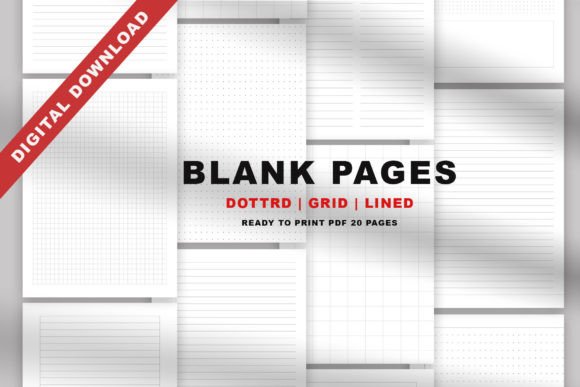
- Grid & Dot Templates: Essential for precision, from sketching to technical layouts. The dot grid, popular in bullet journaling, offers guidance while remaining less intrusive than a full grid.
- Lecture & Cornell Templates: Structured formats designed for academic efficiency and effective knowledge retention.
- Column Templates: Perfect for comparative lists, financial tracking, or side-by-side analysis.
- Diagram & Boxes Templates: Facilitate visual thinking, process mapping, and compartmentalized information organization.
- Miscellaneous Templates: Cover unique needs that might arise, ensuring you're rarely without a suitable page format.
This variety empowers you to choose a template based on your task's cognitive load. A complex problem might need a diagram page; a simple list needs a clean column layout. Matching the page structure to the mental activity can significantly streamline the process.
A Note on the Non-Editable PDF Format
The file is provided as a non-editable PDF and JPEG. This format guarantees print-ready quality and universal accessibility. Anyone can open and print it without needing specialized software. The "non-editable" aspect preserves the designer's intentional layouts and ensures every printed page maintains the integrity of the soft lines and clean background. Your customization happens after printing, with your pens, pencils, and ideas. This turns the act of note-taking into an active, personal engagement with the content, rather than a passive digital form-filling exercise.
Ultimately, Digital Notebook Paper Pages are more than just printable sheets. They are a system for organizing thought and creativity. They respond to the contemporary demand for tools that are both structured and flexible, both professional and personal. By providing a minimalist, versatile canvas, they put the emphasis back on what matters most: your words, your plans, and your colorful, evolving ideas.